All specialisations
Specialisation · 05/11

Digital Technologies

Be a maker of the digital world, not just a citizen of it.

Levels

3

Primary · Middle · Senior

Outcomes

5

Skills children walk away with

Pathways

4

Future careers unlocked

From a sketch on paper to a live website.

The idea

Digital capability means building with technology, not merely using it. The stream takes students from foundational digital literacy and block-based coding in the primary years through structured HTML5 web development, Python programming, and mobile application development using MIT App Inventor and Thunkable. Students learn version control through GitHub and publish completed projects on GitHub Pages. By senior school, students are designing and deploying complete digital products through a full development cycle — from brief to live publication.

Inside the stream — a story

The year a child stops being a user of the internet — and starts being an author of it.

Digital is the default medium of this generation. Teaching children to design, build and ship real software turns them from spectators into authors. By the end of the year they have a live URL, a GitHub profile, and a real product to show.

‘Mum — type this address into your phone.’

Their first webpage goes live in week one. It is usually ugly. It is always proud. They text the URL to grandparents. The grandparents reply with hearts.

From that moment, the internet has a tiny corner that belongs to them.

The internet now has a corner that belongs to them.

Hierarchy, contrast, breathing room.

We move into Figma. Children learn that design is not decoration — it is decision-making. They notice spacing. They argue about font sizes. They start to roll their eyes at billboards that ‘shout too much’.

Their work, almost immediately, looks like work that adults are paid for.

Variables, components, state — but in a kind voice.

JavaScript and React arrive gently. Concepts are introduced through small wins — a click counter, a to-do list, a tiny game. Each lesson ends with code running in the browser, not theory in a slide.

By the end of this module children have built three working products. Each one is on a live URL. Each one has an audience of at least their family.

Git, deploy, share — like the pros.

Children learn the actual workflow of working developers — version control, peer review, deploy buttons. We do not water it down. We make it appropriate, but real.

On Friday afternoons we run ‘ship-it’ sessions. Code goes from laptop to live URL in a single hour. The room hums.

We do not water it down. We make it appropriate, but real.

A real product, with real users, with real feedback.

Each child picks a real problem they care about. Some build study tools for siblings. Some build small e-commerce sites for parents' tiffin businesses. Some build games for their cousins.

Demo day is unlike any school presentation. Children stand beside their live products, take questions, accept feedback, and write down version-two ideas in real time. Many of those products are still online years later.

A scene from a real classroom

A father, watching his daughter deploy her first React app to a live URL on her own laptop, says quietly to no one in particular: ‘She just did something I cannot do.’ He is not embarrassed. He is proud.

The web does not have to be a place children scroll through. It can be a place they build. We teach them how.

— End of story · Read on for the curriculum

The journey

A four-stage arc

01

Page

Author your first webpage — own your corner of the internet.

02

App

Add interaction, state and a clean component model.

03

Ship

Push to GitHub, deploy live, share the link.

04

Iterate

Take feedback, measure usage, ship version two.

Signature project

Flagship build

Launch Your Own Product

Each child ships a real, indexable web product to a live URL — with a landing page, code repo and demo video.

Why it matters

Digital is the default medium of this generation. Teaching children to design, build and ship real software turns them from spectators of the digital world into authors of it — and gives them a rare, portable, modern craft.

A typical session

  1. 01Open with a product critique
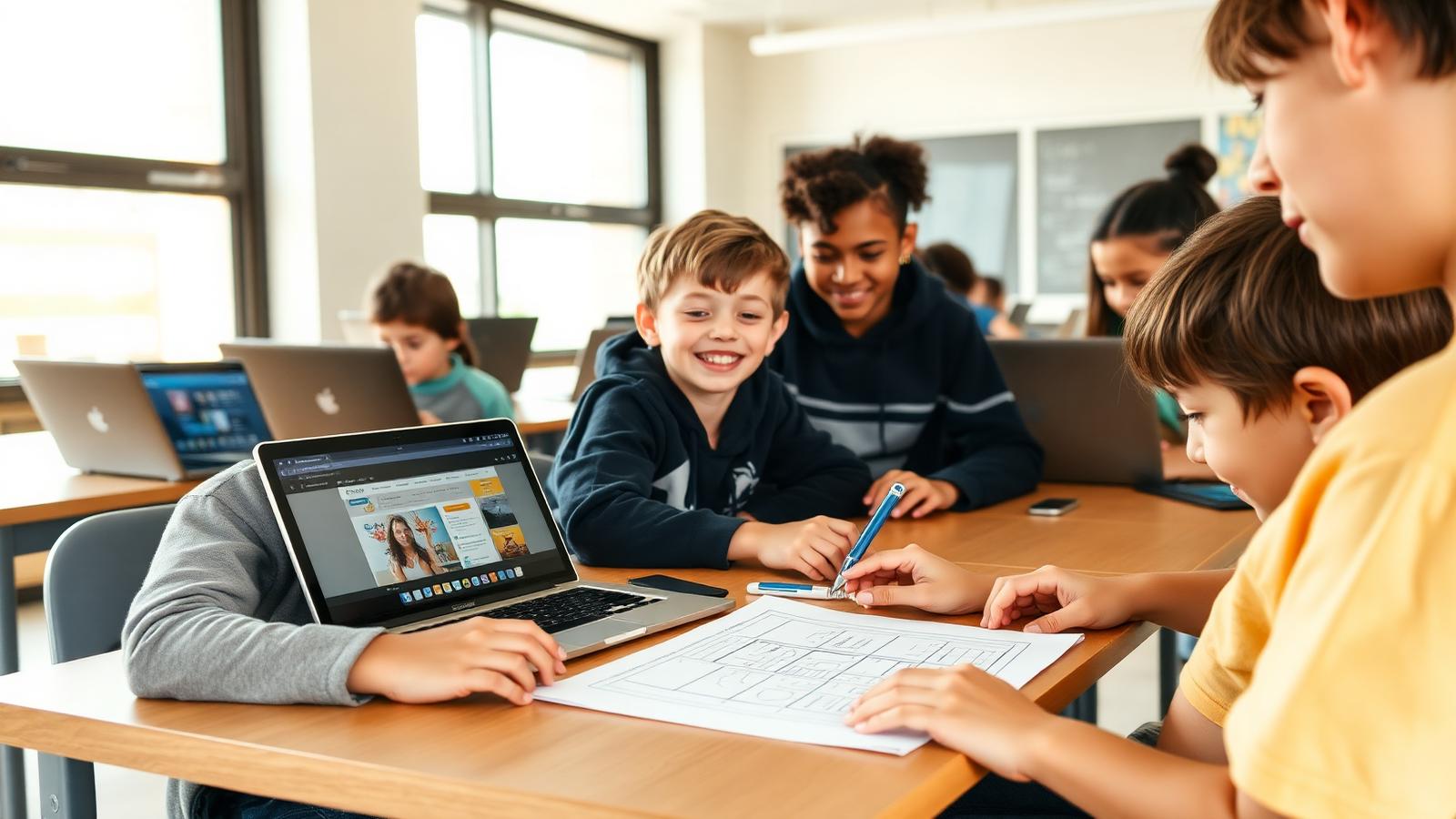
  2. 02Design a screen on paper or Figma
  3. 03Code a small slice and run it live
  4. 04Push to GitHub, deploy, share the URL
  5. 05Receive peer feedback and iterate

The curriculum

What they actually learn

Six modules across an academic year. Every module is hands-on, project-led and ends with something children have built and can show.

M01Weeks 1–3

Web fundamentals

  • HTML structure, CSS style, JS behaviour
  • Author your first webpage on a real domain
  • Responsive design and accessibility basics
  • Use the browser DevTools like a pro
M02Weeks 4–6

Design with Figma

  • Layout, hierarchy, contrast, spacing
  • Components, variants and design tokens
  • Hand-off ready designs
  • Build a mini design system
M03Weeks 7–9

JavaScript and React

  • Variables, functions, arrays, objects
  • Components, state and props in React
  • Forms, events and basic data flow
  • Build a small productivity app
M04Weeks 10–12

Backend and APIs

  • What an API really is
  • Fetch data from real services
  • Read JSON, handle errors gracefully
  • Wire data into a live UI
M05Weeks 13–15

Ship and grow

  • Git and GitHub fundamentals
  • Deploy to Vercel with a custom URL
  • Analytics and feedback loops
  • Iterate based on real users
M06Weeks 16–18

Capstone: Launch Your Product

  • Pick a real problem you care about
  • Design, build and ship to a live URL
  • Write a landing page and a demo video
  • Pitch to peers and parents on demo day

Showcase moments

Three highlights through the year

  1. Term 1

    First-Site Friday

    Every child publishes their first live, indexable webpage.

  2. Term 2

    App Lab

    A peer-reviewed showcase of small but real apps.

  3. Term 3

    Launch Day

    Capstone products go live with landing pages, demo videos and QR codes.

For parents

By the end of the year your child will have a live URL, a GitHub profile, and a real product to show. That portfolio outlives any test score.

For teachers & schools

Lessons follow modern industry stack (React, Git, Vercel) but are scaffolded for school use. Teachers receive full code samples and grading rubrics.

What children build

  • Personal websites
  • Mobile apps
  • Productivity tools
  • Browser games

Tools & tech

HTML5 / CSS / JSPythonMIT App InventorThunkableGitHub + GitHub PagesVS Code

Levels offered

PrimaryMiddleSenior

Outcomes

What they walk away with

01

Design UI

02

Write clean code

03

Use version control

04

Deploy live products

05

Collaborate as a team

Questions parents ask

FAQ

The honest answers to the questions families ask us most.

Is React too complex for children?

We introduce it in Senior streams only, after a strong JS base. Younger children stay in HTML/CSS/JS.

Are products published publicly?

Only with parent and school consent. Otherwise, deployments stay on private school subdomains.

Do children need their own laptops?

A school laptop is enough. Most tools we use are cloud-based and run in any browser.

Can children work in teams?

Yes — most capstones are paired or small-team projects with clear roles.