Beyond the Screen: A Review of FolkOS 3.2 and Tangible Classroom Computing
We review FolkOS 3.2, the ambient computing system transforming secondary STEAM studios from Bristol to Kyoto by turning physical paper and workbenches into live code.
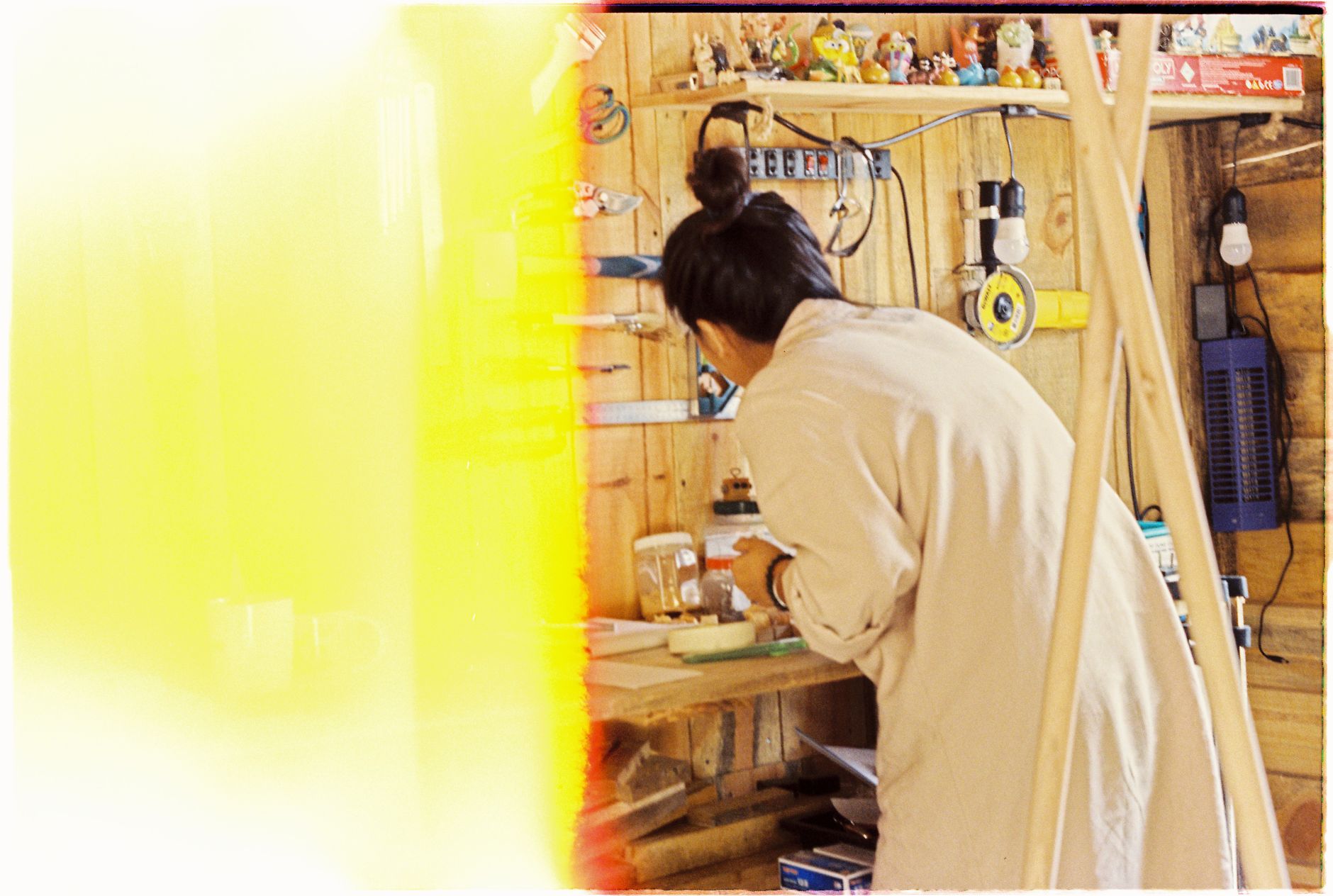
On a Tuesday morning in a secondary studio in Bristol, thirty students leaned over drafting tables strewn with graphite, tracing paper, and optical sensors. None of them looked at a screen. Instead, tiny brass servomotors hummed against cardboard arms, adjusting joint angles as a small table-top computer translated hand-drawn kinematics into physical motion.
The software running quietly on a desktop in the corner was Dynamicland-OS, or rather its contemporary classroom descendant, FolkOS 3.2. We have spent the last four months tracking its deployment across five testbeds in Bristol, Kyoto, Austin, Bengaluru, and Zurich. In an era where educational computing has tilted heavily toward virtual headsets and generative text windows, FolkOS does something unusual. It brings computation entirely back into the room.
The Canvas That Listens
FolkOS operates through overhead cameras and calibrated ceiling projectors. A learner writes an equation on a standard sheet of blue paper with a fibre-tip marker. The system registers the text, verifies the syntax, and projects interactive sliders directly onto the wood table alongside the paper.
Touch the table surface to slide a variable, and the brass servomotor twitches in response. Physical objects become live computational nodes. A strip of yellow card acts as an input bus. A red token serves as an accumulator.
The tactile immediacy is startling. Students who typically drift during algebraic geometry spend forty minutes arranging coloured paper strips into functioning orbital mechanics simulations. The medium welcomes group conversation. Three sets of hands can touch the table simultaneously without waiting for cursor focus or input turns.
When computation shares the same physical table as your sketchbook and your morning tea, it stops feeling like a foreign medium. It behaves like timber or clay.
Why Paper Outlasts the Tablet
Over the past decade, schools invested millions in personal touchscreens. Those glass rectangles, while capable, isolate each learner inside an individual optical cone. Two teenagers sitting side by side with tablets remain functionally alone.
FolkOS reverses that architecture. Because the program lives across physical tables and projector beams, everyone in the studio sees the same geometry at the same scale. In the Bengaluru studio we monitored, a team of twelve-year-olds built an autonomous rainwater drainage model. They mapped city contours by heaping dry kinetic sand across a table, while FolkOS projected live gradient vectors over the ridges. When a student reshaped a hill with her palm, the software recalculated fluid flow instantly, illuminating the newly formed catchment basins in pale cyan light.
The computational latency sits comfortably below sixteen milliseconds. The system runs locally on modest desktop silicon without cloud dependency. When a school loses internet connectivity, the tables continue working without interruption.
Code as Tangible Instrument
Programming in FolkOS feels closer to score composition than terminal scripting. Instead of hiding code inside nested files, scripts are printed onto durable index cards. To connect two routines, you lay their cards side by side on the workspace. An overhead sensor recognizes the proximity and draws an illuminated thread between them.
Here is what teachers gain from this layout:
First, total visual transparency. A teacher walking across the studio can assess every project at a glance from six paces away. Active modules glow amber. Paused routines rest in white. Bugs project small crimson halos around the offending slip of paper, inviting neighbouring students to walk over and offer a suggestion.
Second, natural revision history. Learners archive prior versions of their algorithms by tucking the paper cards into cardboard ring binders. The physical weight of their progress sits on a shelf at the back of the room.
We observed sixth-graders in Kyoto debugging a multi-joint robotic gripper by spreading fifty cards across eight square metres of tatami mats. They crawled between routines, tracing signal lines with their fingers, diagnosing race conditions through physical spatial reasoning.
Trade-offs and the Studio Reality
FolkOS demands deliberate physical conditions. High-ambient sunlight washes out the optical projection, requiring studios to fit sheer linen blinds or directional louvered shades. Rooms with low ceiling clearances struggle to achieve wide projection cones.
Setup requires patience. Calibrating the spatial coordinates between the ceiling camera and the work surface takes twenty minutes of alignment per table. It asks teachers to cultivate spatial design skills alongside their curriculum planning.
Yet these demands foster an atmosphere of craft. Schools adopting the system find themselves rethinking their rooms altogether, replacing rows of plastic computer desks with broad birch ply benches and open storage racks.
The Quiet Power of Shared Space
Educational tools reveal their worth in the social postures they create. The personal screen curves the spine inward, pulling attention into an isolated glow. Tangible spatial computing opens the shoulders, inviting neighbours to point, argue, reach, and build together.
FolkOS demonstrates that digital literacy deepens when computation honors the physical intelligence of our hands. By restoring paper, wood, and shared light to the centre of the STEAM laboratory, it gives young minds a computing environment worthy of their communal curiosity.
Frequently asked
FolkOS uses standard overhead webcams and digital projectors mounted to the ceiling, connected to a local desktop computer. It requires no specialized proprietary hardware or wearable headsets.
The system supports visual block-style scripts on paper cards as well as typed Python and JavaScript syntax, allowing learners to progress from tactile logic to formal syntax seamlessly.
FolkOS runs entirely on local machine vision and on-premise compute. It functions completely offline, keeping student work private and resilient against network outages.
One piece of writing on AI in education. Every Monday morning. From the editors of NASCA, in seven countries. No spam, unsubscribe in one click.
Bring NASCA to your school.
If this piece resonated, the next step is a conversation. A real person from our team will reply within one working day.